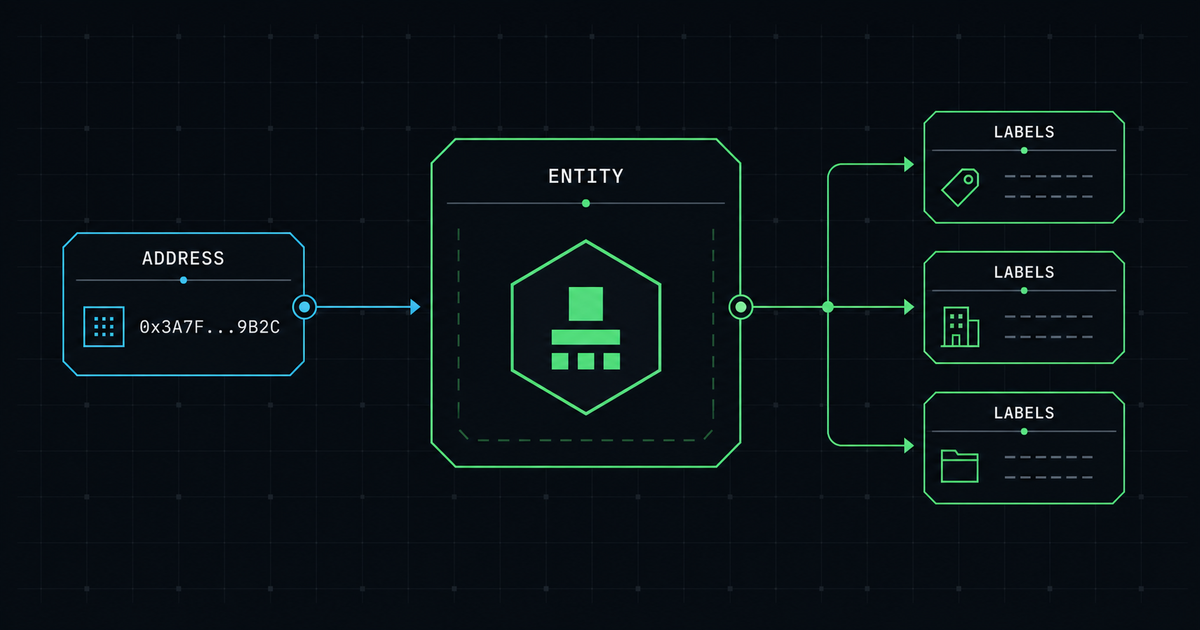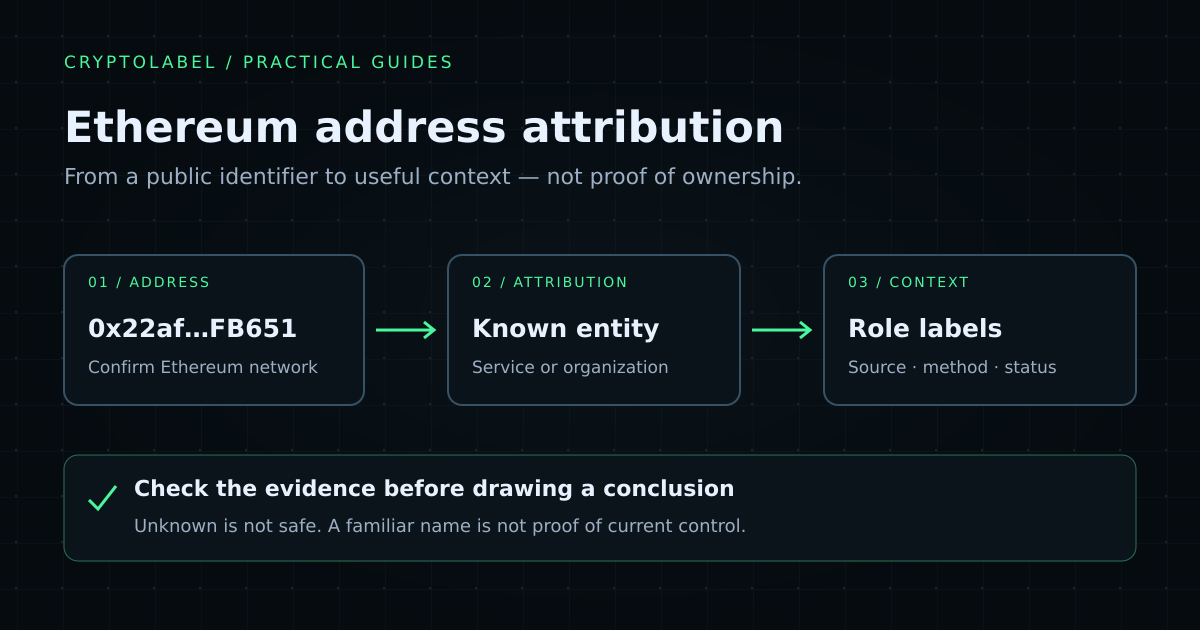
Ethereum address attribution connects a public address with a known service, organization, or protocol using available evidence. To investigate an address, confirm the network, run a lookup, read the entity and role labels separately, and check the context before drawing a conclusion. A label can help explain an address; it cannot prove who currently controls it or identify every person who uses a service.
This guide walks through a real CryptoLabel response and shows how to request the same information in an application. If you only need to run a lookup, use the Ethereum address lookup tool.
1. Confirm the address and the network
An Ethereum address is written as 0x followed by
40 hexadecimal characters. Copy the whole address from its
original source and check the intended network. Several EVM
networks use the same address format: the shape of an address
alone does not tell you which network’s activity you are
examining.
A syntactically valid address is not an identity check. It does not establish that a business controls the address, that a payment request is genuine, or that interacting with it is safe.
Ethereum distinguishes externally owned accounts (EOAs) from contract accounts. The Ethereum account documentation explains these roles and why an account is not the same thing as a wallet application. There are also nuances: EIP-7702 allows EOAs to delegate execution to code. Avoid reducing every investigation to “code means a contract, no code means a person.”
2. Run an Ethereum address lookup
Open the Ethereum lookup and enter the address. For a reproducible request, use the public REST endpoint:
curl --request GET \
  --url 'https://cryptolabel.io/api/v1/address/ethereum/0x22af984f13DFB5C80145E3F9eE1050Ae5a5FB651' \
  --header 'Accept: application/json' \
  --header 'User-Agent: AttributionExample/1.0 (contact@example.com)'
The following is an excerpt of the response checked on October 24, 2026, not a guarantee that the data will remain unchanged:
{
  "query": {
    "chain": "ethereum",
    "address": "0x22af984f13DFB5C80145E3F9eE1050Ae5a5FB651"
  },
  "address": {
    "type": "eoa",
    "model": "account_based"
  },
  "entity": {
    "name": "Kraken",
    "category": "exchange"
  },
  "labels": [
    {
      "type": "exchange_cold_wallet",
      "category": "cex",
      "sourceType": "public",
      "method": "aggregation",
      "status": "active"
    }
  ]
}
The full response also includes readable field names and an explorer URL. The excerpt keeps only the fields needed for this walkthrough. You can inspect the current result in the Playground.
3. Read the entity and the address role separately
In this snapshot, entity.name is
Kraken and its category is exchange.
That is CryptoLabel’s current public attribution to a service.
The label exchange_cold_wallet describes a more
specific attributed role for the address.
Those fields answer different questions:
| Field | What to take from it | What not to infer |
|---|---|---|
address.type |
The recorded account type | The identity of a natural person |
entity.name |
The known service or organization attribution | Cryptographic proof of current control |
labels[].type |
A recorded role or characteristic | A complete account of every use of the address |
sourceType and method |
How the label is classified by source and collection method | A source citation or confidence score that the response does not provide |
status |
The label’s recorded status | A guarantee that attribution can never become outdated |
An exchange infrastructure label does not identify the exchange customer who sent funds to it. Nor does it mean that every address connected by a transaction belongs to that exchange. For the underlying terminology, see what crypto wallet labels mean.
4. Check the evidence and the surrounding context
Use the address’s explorer link to inspect the same address on Ethereum, not a visually similar address or another network. Compare public annotations with a relevant official service publication when one exists, and record what you actually checked and when.
Etherscan’s explanation of public name tags and labels is useful background on explorer annotations. A name tag is useful evidence, but copying the same annotation across multiple sites does not create independent corroboration.
CryptoLabel’s sourceType: public and
method: aggregation describe metadata categories.
They are not a list of underlying source documents. If a
decision requires stronger evidence, obtain it separately
rather than treating those values as proof. Keep the observed
label, source context, lookup date, and your own conclusion
distinct.
5. Handle unknown attribution explicitly
Not every address has a known entity or a useful label. An
unknown entity, an unknown category, or an empty
labels array means the service does not currently provide that
particular information. These states are not interchangeable:
an entity can be named while its category is unknown, and an
address can have no role labels even when the entity is known.
In an application, display “No known attribution” where appropriate and keep the address available for further checking. Do not turn unknown results into “safe,” “private owner,” or “not an exchange.” Do not reject the entire response just because one optional piece of context is missing. The API reference documents the response fields and enum values.
6. Add attribution to your application
The endpoint works without a key for
up to 1,000 anonymous lookups per IP per UTC calendar
day. The anonymous quota resets at 00:00 UTC. To associate
requests with your projects and view usage,
create a free account, generate a key
in your dashboard, and send it
in X-API-Key:
curl --request GET \
  --url 'https://cryptolabel.io/api/v1/address/ethereum/0x22af984f13DFB5C80145E3F9eE1050Ae5a5FB651' \
  --header 'Accept: application/json' \
  --header "X-API-Key: ${CRYPTOLABEL_API_KEY}" \
  --header 'User-Agent: YourAppName/1.0 (contact@example.com)'
Set CRYPTOLABEL_API_KEY to your generated key in
your server environment before running this version. Do not
put a private API key into public browser code. Adding a key
does not change the endpoint URL or the response format.
Handle non-success responses explicitly. An invalid or revoked
key returns HTTP 401; it does not silently fall
back to anonymous access. Exhausting the anonymous daily quota
returns HTTP 429 with code
ANONYMOUS_DAILY_LIMIT_EXCEEDED and a
Retry-After header. Check input errors against
the documented error responses, and do not
retry rejected input in a tight loop.
For a broader integration overview, see the blockchain address labeling API. If you are still separating wallet, address, and key concepts, start with what a crypto wallet address is.